VPS / Cloud basics
What is a cloud server? Understand the VM before comparing VPS plans
Understand cloud VMs, resources, operating duties, and questions to ask each provider.
Cloud server usually means virtual machine (VM): software-defined computer with allocated CPU, memory, storage, and networking, running an operating system you control. AWS calls its EC2 virtual servers instances; Azure offers virtual machines as configurable compute resources. Neither term means your application automatically survives failures or manages itself. Before comparing VPS plans, identify what resources you receive, which data survives replacement, and which operating tasks remain yours. AWS EC2 concepts · Azure VM overview
1. Understand what VM gives you
Cloud VM separates your operating environment from underlying physical hardware. Instead of buying and maintaining physical server, you provision virtual compute resources through provider controls. Inside that environment, you install software, configure services, and run workloads.
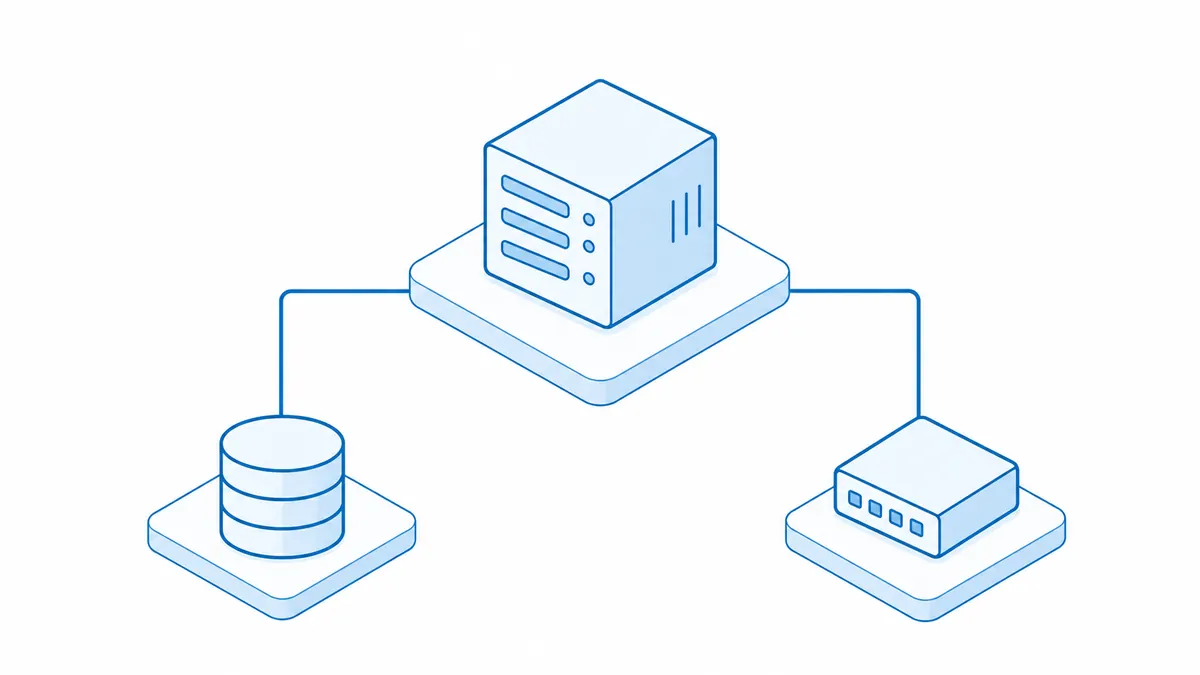
Think in components rather than product labels:
- Compute instance: running environment with selected processor and memory capacity.
- Image: starting template for operating system and possibly installed software.
- Disk: storage holding boot files, application files, or data.
- Network: connectivity, addressing, interfaces, and traffic controls.
- Region: geographic placement choice for deployment.
AWS documents these building blocks through instances, Amazon Machine Images, instance types, storage, networking, and deployment locations. Azure similarly makes sizing, operating system, disks, networking, and location explicit deployment choices. AWS EC2 concepts · Azure VM overview
Your application depends on their combination. More CPU cannot fix full disk. More memory cannot repair blocked network access. Correct VM size cannot compensate for missing recovery data.
Before comparing plans, sketch these components separately. That sketch exposes assumptions hidden inside broad labels such as “cloud hosting.”
2. Compare cloud VM and VPS terminology carefully
VPS means virtual private server. Cloud VM and VPS descriptions can overlap: both may describe virtualized server environments with administrative access and allocated resources. Names alone do not establish identical architecture, isolation, storage behavior, billing, or management.
Treat “VPS” as starting category, not complete specification. Treat “cloud” similarly. Ask what provider actually supplies:
- Which processor and memory allocation model applies?
- Which storage belongs to instance, and which exists independently?
- Can deployment be automated through API?
- What happens during resize, shutdown, replacement, or deletion?
- Which maintenance tasks does provider perform for you?
DigitalOcean’s plan guidance distinguishes Droplet options partly through shared versus dedicated CPU models and workload needs. That distinction matters more than assuming every virtual server offers equivalent compute behavior. DigitalOcean plan guidance
Keep separate comparisons separate. Shared hosting versus VPS concerns control and hosting boundaries; comparing two VM products requires resource and lifecycle details. For broader service categories, start with what web hosting means.
Decision: compare documented capabilities and responsibilities, then price matching configurations. Do not compare labels first and fill gaps with assumptions.
3. Size CPU, memory, and storage for workload
VM size sets resource capacity, not guaranteed application outcome. AWS instance types offer different resource combinations; Azure VM sizing likewise involves matching compute, memory, storage, and networking needs. AWS EC2 concepts · Azure VM overview
Start with workload constraints:
- CPU: request processing, compilation, compression, background jobs.
- Memory: application processes, caches, database working data.
- Storage: usable capacity, growth, read/write demand.
- Network: traffic volume and communication between services.
Hypothetical example: small publishing site runs web application and database together. Memory pressure causes instability during scheduled imports. Adding CPU alone leaves memory constraint unresolved. First measure process memory, database activity, and import concurrency; then choose between more memory, smaller batches, or separating workloads.
Avoid sizing from visitor count alone. Similar traffic can produce different demands when one application serves cached pages and another performs costly database work.
Record baseline use and peak behavior before resizing. Include room for operating system, deployment tasks, logs, and temporary files. Use VPS sizing guidance to organize estimates, then validate them against actual workload measurements.
4. Choose image for maintenance, not appearance
Image determines starting software environment. AWS uses Amazon Machine Images to launch instances; Azure supports VM creation from operating system images. Image choice influences compatibility and maintenance work, but does not remove that work. AWS EC2 concepts · Azure VM overview
Choose operating system your team can maintain. Check application compatibility, support lifecycle, package availability, licensing implications, and recovery familiarity. Preinstalled application stack may save setup effort while adding components you must understand.
Distinguish two kinds of reproducibility:
- Image reproducibility: rebuilding initial operating environment.
- Application reproducibility: restoring correct code, configuration, dependencies, and data.
One does not guarantee other. Fresh VM from same image may still lack production configuration or current database contents.
Keep deployment instructions outside VM. Record required packages, service settings, application versions, and startup behavior. Store secrets separately from reusable images and ordinary documentation.
Hypothetical example: replacement VM starts successfully, but application fails because configuration existed only on old server. Recovery requires configuration inventory, not larger instance. Test rebuilding before treating image choice as solved.
5. Separate persistent data from VM lifecycle
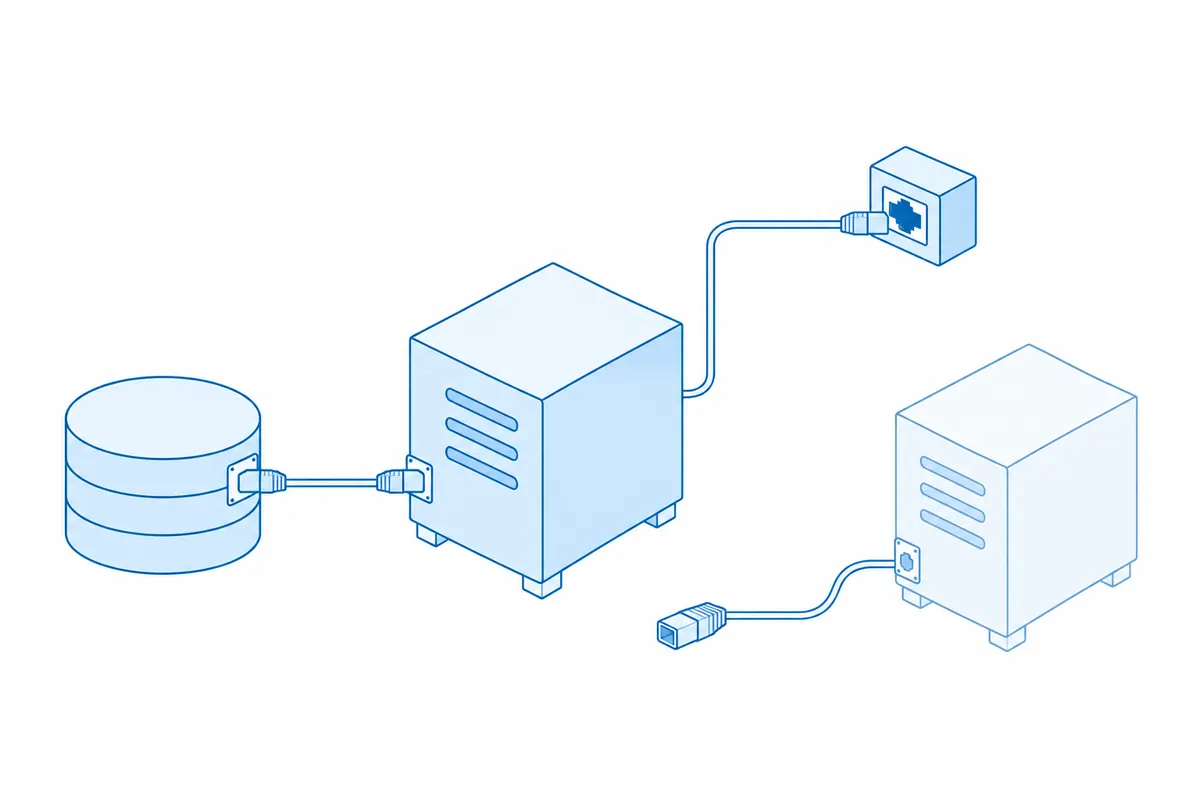
Disk labels deserve close reading. AWS distinguishes storage options including Amazon EBS and instance store; its documentation notes different persistence behavior. Azure also distinguishes disk roles and temporary storage. Do not assume every visible filesystem survives every lifecycle event. AWS EC2 concepts · Azure VM overview
Classify application files before deployment:
| Data | Planning question |
|---|---|
| Operating system and packages | Can these be rebuilt from documented inputs? |
| Application code | Is known-good version stored elsewhere? |
| Database and uploads | Which persistent storage holds authoritative copy? |
| Cache and temporary files | Can application safely recreate them? |
| Logs | Which records must remain available after replacement? |
For each disk, verify behavior during reboot, stop, replacement, and deletion. Check deletion settings separately from ordinary persistence. Persistent storage does not mean undeletable storage.
Keep irreplaceable data off temporary storage. Confirm mount paths and application write locations rather than relying on intended design.
Recovery check: create disposable environment, write sample data, and exercise supported lifecycle actions. Inspect what remains. Use nonproduction data, and verify destructive actions before proceeding.
6. Plan region, network, and virtual IP together
Region chooses geographic deployment location. AWS and Azure document location choices alongside VM deployment considerations. Select location using audience proximity, connected services, organizational requirements, and available resource options—not marketing language alone. AWS EC2 concepts · Azure VM overview
Virtual IP is address associated with virtual networking resource rather than address you manage on physical network card. However, “virtual IP” alone does not specify public access, permanence, failover, or reassignment rules. Ask provider which address resource applies and how its lifecycle works.
Map required connections:
- Public users reaching application.
- Administrators reaching management interface.
- Application reaching database or external API.
- Monitoring reaching health endpoints.
- Replacement resources receiving production traffic.
Check public versus private addressing, inbound restrictions, outbound dependencies, name resolution, and address retention. Verify current provider documentation for exact behavior and charges.
Hypothetical example: replacement VM works locally, but customers still reach old address through DNS. Compute recovery succeeded; traffic recovery did not. Recovery plan must include address or DNS changes, validation, and rollback—not merely launching another machine.
7. Treat snapshots and backups as recovery inputs
Snapshot, backup, and successful recovery are different things. AWS documents EBS snapshots among EC2 storage-related capabilities. Snapshot availability alone does not establish complete application protection. AWS EC2 concepts
Decide what recovery must preserve: database contents, uploaded files, configuration, secrets, or whole operating environment. Then choose protection methods covering those items together.
Ask these questions before relying on any backup feature:
- Which disks and files are included?
- Does database require application-aware preparation or separate export?
- How often does protection run?
- How long are recovery points retained?
- Who can delete recovery copies?
- Can recovery proceed if original VM disappears?
- Which charges apply to storage and restoration?
Verify exact backup and snapshot policies on current provider pages. Do not infer inclusion from presence of feature button.
Restore into separate environment and check application behavior, not merely disk attachment. Confirm database opens, uploads match records, authentication works, and required configuration exists.
Hypothetical example: disk restores, but recent uploads are missing because they lived on another volume. Fix protection scope. Increasing snapshot frequency on wrong disk would not address failure.
8. Build high availability as architecture
Cloud VM is component, not high-availability architecture. Azure explicitly places availability planning among VM considerations, including deployment choices for protecting workloads. Single VM still requires application-level decisions about continuity and recovery. Azure VM overview
Start with failure you need to tolerate. One stopped process, unavailable VM, unavailable deployment location, and corrupted database require different responses.
For service that must continue through VM failure, evaluate multiple application instances, traffic distribution, health detection, and data availability. Check whether sessions, uploaded files, scheduled tasks, and database connections assume one server.
Redundancy also introduces work. Multiple instances can execute same scheduled job twice, serve inconsistent files, or share overloaded database. Additional machines do not automatically remove shared failure points.
Hypothetical example: two web VMs share one database VM. Web tier can lose one instance, but database remains critical dependency. Describe protection accurately: redundant web tier, not fully redundant application.
When interruption is acceptable, simpler rebuild-and-restore design may fit better. Document recovery steps and acceptable data loss. Choose complexity from business requirement, not from cloud label.
9. Scale around bottlenecks and limits
Vertical scaling changes VM resources. Horizontal scaling adds instances. AWS and Azure offer different VM sizes or instance types, but application design determines whether additional capacity helps. AWS EC2 concepts · Azure VM overview
Before resizing, identify constrained resource. Inspect CPU demand, available memory, disk use, storage activity, connection counts, and application errors. Check whether expensive requests or inefficient database queries create avoidable load.
For vertical scaling, verify supported size changes, restart requirements, disk constraints, and resource availability. For horizontal scaling, check shared state, traffic distribution, worker coordination, and database capacity. Verify current account limits and regional availability rather than assuming unlimited expansion.
Hypothetical example: queue grows during batch processing while website remains responsive. Adding web instances targets wrong component. Scale workers or reduce work per job, then confirm database can support higher concurrency.
Make rollback part of scaling plan. Record previous configuration, validate application health after change, and watch errors as well as resource use. Lower CPU utilization alone does not prove successful change if requests now fail elsewhere.
10. Assign security and operating duties
Infrastructure control brings operating responsibility. Azure states that VM users still maintain software running within VM, including configuration, patching, and installation. Provider-managed infrastructure does not equal managed application service. Azure VM overview
Assign owners for operating system updates, application updates, access control, firewall rules, backups, monitoring, capacity, incident response, and recovery testing. If purchasing managed service, confirm exactly which duties contract covers.
Do not expose administrative services broadly to the internet. Restrict management access, protect credentials, and grant only required permissions. Keep recovery credentials available through a secure process that does not depend on the failed VM.
Monitor application reachability alongside CPU, memory, disk capacity, backup results, and certificate expiry. Alerts need named recipient and response procedure. Dashboard nobody checks provides little operational protection.
Plan safe updates: preserve recovery option, apply change, verify service, and reverse change when validation fails.
Hypothetical example: application runs normally until disk fills with logs. VM remains powered on while writes fail. Fix includes disk alerting, log retention, and tested cleanup procedure—not assumption that provider detects every application failure.
11. Compare full billing categories
VM price is not necessarily full service cost. AWS and Azure describe configurable resources and purchasing considerations; exact charges depend on selected products, configuration, usage, and current terms. Use current provider pricing pages and checkout for binding details. AWS EC2 concepts · Azure VM overview
Build comparison around categories, without assuming each is included:
- Compute allocation and billing model.
- Persistent disks and additional storage.
- Snapshots and backups.
- Network transfer.
- Public address resources.
- Traffic distribution and related services.
- Operating system or software licensing.
- Monitoring, support, and managed operations.
Ask what remains billable when VM stops. Ask separately what remains after VM deletion. Do not assume attached storage, retained backups, or address resources disappear together.
Compare equivalent operating designs. One VM with no recovery protection is not cost-equivalent to redundant deployment with backups and support.
Include staff effort in decision. Self-managed VM may fit team already operating infrastructure; organization without available maintenance owner faces different practical cost.
Set budget notifications where available, review retained resources, and investigate unexpected changes before increasing budget.
12. Choose by workload and recovery needs
VM fits workloads needing operating system control, custom software, long-running processes, or server-level configuration. It need not be default choice for every website. If goal is publishing content without server maintenance, compare managed hosting before accepting infrastructure duties.
Hypothetical example: internal reporting tool runs scheduled jobs and custom packages. One VM may meet needs if interruptions are acceptable and rebuild plus data recovery are tested. Public transaction service with stricter continuity needs requires separate availability and data design.
Use this decision sequence:
- Define required software, access, audience, and acceptable interruption.
- Identify authoritative data and acceptable data loss.
- Choose region, image, resource size, storage, and network layout.
- Confirm persistence, addressing, resize, and deletion behavior.
- Assign maintenance, security, monitoring, and incident ownership.
- Test deployment, restoration, and traffic recovery.
- Compare complete cost under the same operating assumptions.
Reject three shortcuts: cloud does not mean automatically available; snapshot does not mean tested recovery; VPS does not define complete resource contract.
Before purchase, require answers to four questions: What runs here? What survives replacement? Who fixes failure? What remains billable afterward? Unclear answers mean plan comparison is unfinished.