Hosting / Service choice
Shared hosting vs VPS: choose by control and responsibility
Compare shared environments with virtual servers by resources, administration, and operating work.
Choose shared hosting when supported applications fit provider limits and you want less server administration. Choose self-managed VPS when you need server-level control and can own maintenance, security, recovery, and incidents. Choose managed VPS when you need more control but want defined operating tasks handled by provider. Decide by required access and responsibility—not assumption that VPS always means faster hosting.
1. Start with requirements, not hosting labels
Write down what application needs before comparing plans: runtime versions, database access, background jobs, storage, email delivery, deployment method, and support coverage. Separate requirements from preferences. Root access might be essential for custom system packages; it adds little value when every needed feature already exists in hosting dashboard.
Then identify who owns failures. Who investigates failed deployments? Who restores deleted data? Who handles security updates during your absence? Hosting choice creates operating obligations, even when monthly bill looks manageable.
For terminology first, see what web hosting means. For this decision, focus on two boundaries: resources you can use and settings you can change.
Reject options that fail essential requirements before comparing capacity. More memory cannot compensate for missing runtime support. Broad server access cannot compensate for nobody being available to maintain it. Prefer smallest operating commitment that satisfies application needs, with practical path to grow.
Record requirements in writing. Sales descriptions help narrow choices; written answers establish whether proposed service fits actual workload.
2. Understand what resources you receive
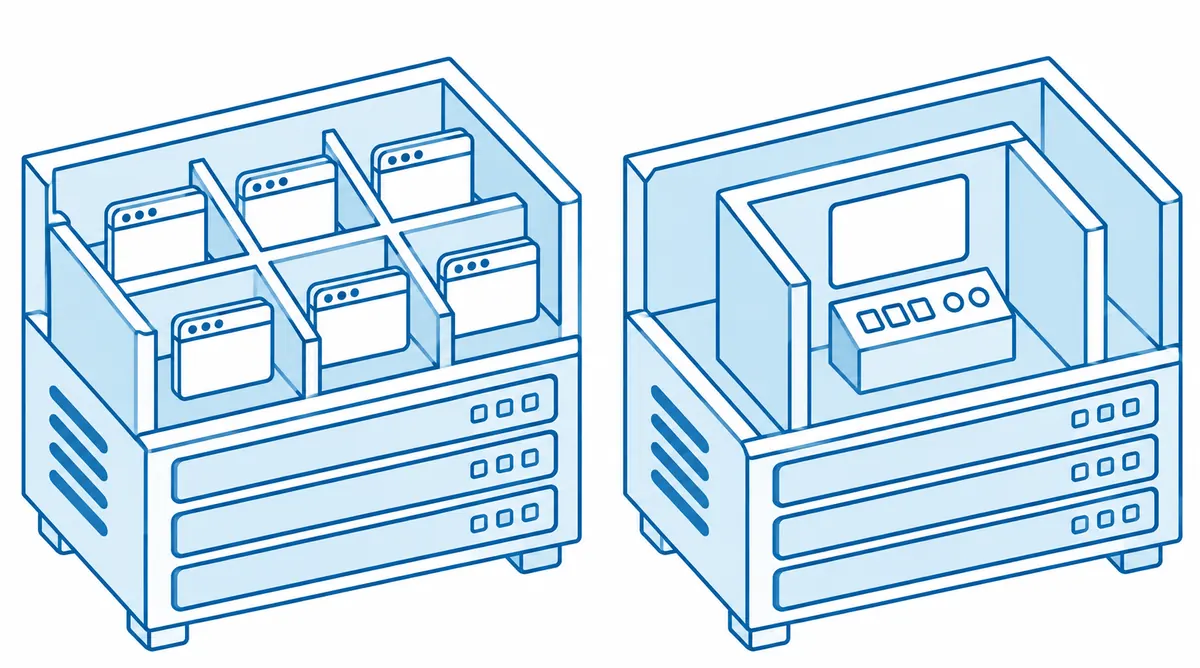
Shared hosting places your application within provider-operated hosting environment. Evaluate account limits, not server-wide specifications: total machine capacity does not tell you what your account may consume. Check current agreement and checkout for applicable restrictions rather than assuming “unlimited” means unrestricted operation. Hostinger’s hosting agreement is relevant to its services, not universal policy for every host.
VPS gives you virtual server resources, but allocation model still matters. DigitalOcean distinguishes shared-CPU options from dedicated-CPU options; VPS label alone therefore does not establish exclusive CPU access. Its plan guidance connects selection to workload characteristics, not guaranteed application outcomes. DigitalOcean plan guidance
Ask about memory allocation, CPU scheduling, storage limits, disk performance constraints, and network allowances. Clarify whether brief spikes and sustained usage receive different treatment.
Match resources to bottleneck. CPU helps CPU-bound processing; memory helps only when memory pressure causes trouble. Increasing either does not fix inefficient database queries automatically. Compare permitted workload and resource behavior, not impressive-looking totals.
3. Treat access as operational power
Shared hosting makes sense when provider’s supported configuration covers application. Confirm available runtime versions, extensions, scheduled tasks, command-line tools, deployment access, and database controls. Do not infer availability from generic product category.
VPS becomes useful when application requires changes below hosting-account boundary. Examples include installing system packages, running custom services, controlling reverse-proxy configuration, or choosing operating-system settings. Verify exact access before purchase: managed service may intentionally restrict changes that interfere with its support model.
AWS describes EC2 as configurable virtual computing environments with operating systems, storage, and networking components. That flexibility illustrates why virtual-server decisions extend beyond uploading website files. It does not establish that every VPS product exposes identical controls. Amazon EC2 concepts
Prefer access you need, not access that sounds advanced. Every configurable layer creates another place where mistakes can affect availability.
Before choosing VPS for one missing feature, ask whether existing platform already supports it through approved configuration. Avoid taking responsibility for whole server to solve problem already covered.
4. Separate self-managed from managed VPS
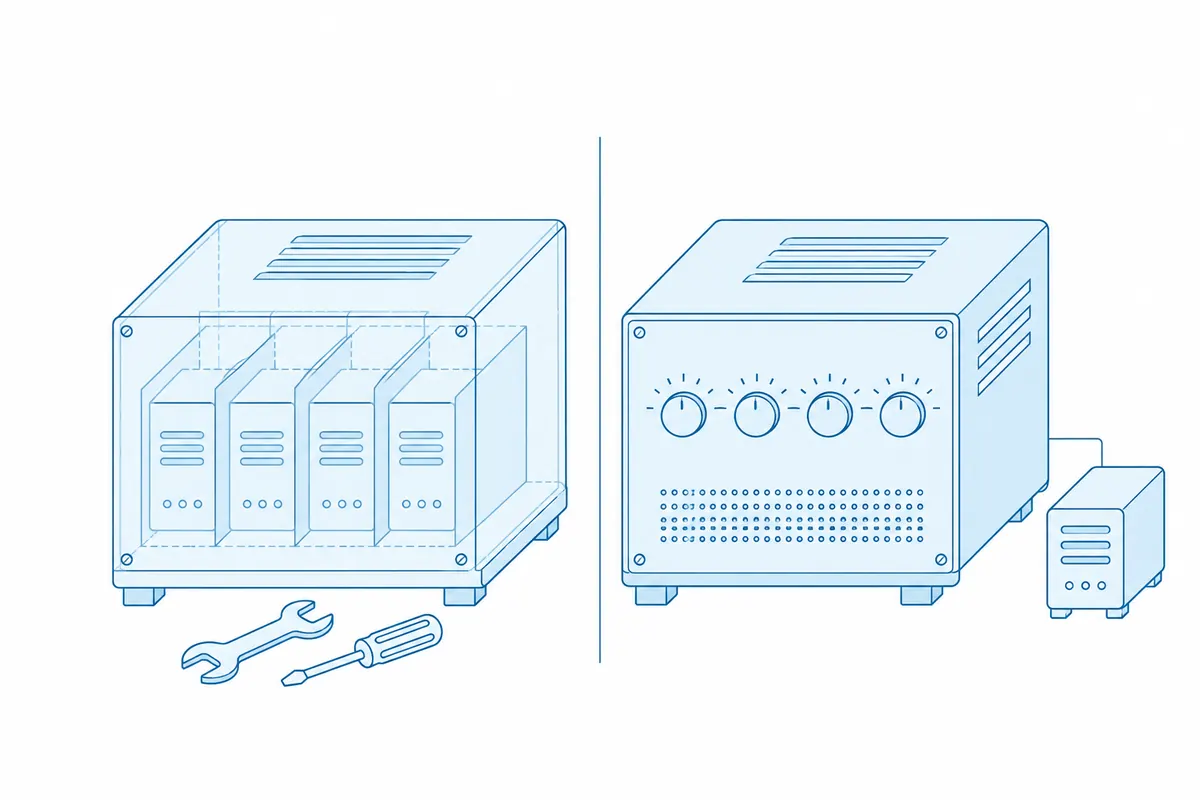
“Managed” needs task list. Without one, two people can read same label and expect different services.
For self-managed option, budget ownership of operating-system updates, service configuration, monitoring, access management, backup setup, and recovery procedures unless contract explicitly assigns them elsewhere. Provider support and application administration are separate questions.
For managed option, ask who performs each task and under what conditions. Does provider apply updates automatically or wait for approval? Does support investigate application errors, or stop after confirming server responds? Who checks backup failures? Who restores service after configuration change?
Use written responsibility map:
| Task | Decision to record |
|---|---|
| Operating-system updates | Who schedules, applies, and checks them? |
| Application updates | Who owns compatibility and deployment? |
| Monitoring | Who receives alerts and responds? |
| Backups | Who configures, checks, and restores them? |
| Security incidents | Who contains damage and rebuilds? |
Assign primary owner and backup contact for each task. Shared hosting also needs this exercise: provider-operated platform does not answer who maintains your application, credentials, content, or recovery plan.
5. Use decision matrix to eliminate bad fits
Treat matrix as starting point, not guarantee of product features. Confirm capabilities and support boundaries against actual offer.
| Need or constraint | Shared hosting | Self-managed VPS | Managed VPS |
|---|---|---|---|
| Standard application, supported stack | Strong candidate | Often unnecessary work | Consider if support adds value |
| Custom system packages or services | Confirm support; may rule it out | Candidate if skills exist | Confirm permitted changes |
| Minimal server maintenance | Strong candidate | Poor fit without administrator | Candidate with clear task coverage |
| Detailed operating-system control | Confirm limits | Strong candidate | Depends on management restrictions |
| Sustained processing workload | Check allowed usage | Check CPU allocation and capacity | Check allocation and support scope |
| No internal incident coverage | Assess provider support boundaries | High operational burden | Assess response and recovery coverage |
Apply hard constraints first. If required service cannot run, eliminate option. If nobody can administer server, eliminate self-management unless you fund external help.
Then compare remaining options by total cost and recovery readiness. Avoid scoring every feature equally: unsupported essential dependency outweighs several convenient extras.
6. Measure current workload before buying capacity
Collect evidence across normal use, busy periods, and scheduled work. Where access permits, inspect request latency, error rates, CPU usage, memory pressure, storage growth, and database behavior. On shared hosting, use available dashboard data and request explanations for resource-limit events.
Distinguish traffic volume from work per request. Cached content and dynamic reports can place very different demands on same application. Include imports, backups, image processing, scheduled jobs, and administrative tasks in workload notes.
Use this sequence:
- Identify slow or failing user actions and record when they occur.
- Compare those times with application errors and available resource data.
- Check whether failures follow deployments, scheduled jobs, or traffic changes.
- Fix obvious application problems before treating migration as capacity upgrade.
- Define measurable acceptance checks for any replacement environment.
Use VPS sizing guidance to structure capacity questions, then validate assumptions against your workload.
Measurements establish baseline, not promise. Different configuration can change results; evaluate proposed environment with representative work before moving production traffic. Keep test conditions recorded so comparisons remain useful.
7. Account for isolation without assuming immunity
Virtual-server isolation and application security solve different problems. Ask provider what is isolated, which resources remain shared, and what options exist when resource contention matters. DigitalOcean’s distinction between shared and dedicated CPU plans shows why “VPS” alone cannot answer resource-isolation questions. DigitalOcean plan guidance
Do not treat root access as security improvement by itself. It provides administrative power, including power to expose services or damage configuration.
Before exposing a new server, restrict administrative access, use strong authentication, apply supported updates, and expose only required services. Keep recovery credentials protected and separate from routine application access.
For Ubuntu deployments, use Ubuntu VPS security guidance alongside current operating-system and provider instructions.
Shared hosting still requires secure application credentials, supported software, and careful access assignment. Managed VPS still needs clarity about application-level protection and incident ownership.
Ask what happens after compromise. Who isolates service, preserves needed evidence, rotates credentials, and restores trusted application state? Define response before emergency; vague promises of “secure hosting” do not supply recovery procedure.
8. Make backups a recoverability test
Backup decision needs four answers: what gets copied, where copies live, how much recent work could be lost, and how long restoration may take. Keep acceptable loss and restoration time tied to business needs rather than default settings.
Ask whether coverage includes database contents, uploaded files, configuration, and secrets needed for recovery. Clarify retention, deletion behavior, restore access, and costs against current provider documentation or checkout. Do not assume hosting agreement includes desired backup service.
For active applications, backup consistency matters. Independently copied files and database may not describe same application state. Choose application-aware procedure or controlled write pause where needed.
Test recovery into separate environment. Confirm application starts, authentication works, uploads appear, and representative records remain usable. Record missing dependencies and repeat after fixing them.
If backups share the production account’s administrative credentials, assess whether account compromise could also delete them. Protect recovery access separately where supported.
Server image, application export, and database backup serve different recovery needs. Select enough coverage to rebuild service, not merely recreate machine that still lacks essential data.
9. Plan scaling around actual bottlenecks
Scaling means more than choosing bigger plan. First decide whether application needs more capacity on one environment or architectural changes that distribute work.
Ask shared-hosting provider what account upgrades change and what limits remain. Ask VPS provider about resize requirements, storage constraints, downtime, and reversal options. Verify current product documentation before relying on upgrade path.
Do not assume every resize is reversible. Treat storage changes and data movement as operations needing explicit recovery plan.
Separate quick capacity relief from durable fix. Larger environment may buy time while you optimize expensive queries or move long-running jobs out of request handling. Conversely, tuning application will not remove genuine resource ceiling forever.
AWS lists multiple EC2 components and configuration choices, including instance types and storage. That illustrates why virtual-server growth involves several dimensions rather than one universal “server size.” Amazon EC2 concepts
Set upgrade trigger before pressure arrives: repeated resource saturation tied to user-visible trouble, forecast storage exhaustion, or missing capability. Do not upgrade solely because traffic counter increased while service remains healthy.
10. Compare total cost and response coverage
Compare complete operating model, not checkout headline. Include hosting, required software, backup storage, monitoring, migration work, paid administration, and staff time. Check whether network usage, support requests, or restoration introduce separate charges under current terms.
Self-management can shift spending into labor. Count routine maintenance plus incident handling, including coverage during leave. Managed service can reduce specific tasks only when agreement assigns them clearly; do not credit it with work outside support scope.
Shared hosting may avoid unnecessary server administration when application fits supported environment. That advantage disappears if restrictions force repeated workarounds or prevent essential jobs.
For provider-specific contractual limits, use current agreement and checkout. Hostinger’s hosting agreement should inform evaluation of Hostinger services, not assumptions about competing providers.
Ask what support actually does when site fails. Distinguish receiving ticket, investigating problem, and restoring application. Request escalation procedure and boundaries without assuming particular response commitment.
Choose option your team can operate during ordinary weeks and difficult ones. Cheap environment with unaffordable recovery burden is not cheap operating model.
11. Work through realistic hypothetical choices
Hypothetical: small publishing site
Site uses supported application, ordinary scheduled tasks, and no custom system packages. Owner wants content work, not server maintenance. Shared hosting remains sensible candidate if measured usage fits limits and backup restoration works.
Move only for demonstrated constraint: required capability, sustained limit events, or support needs that existing service cannot meet. VPS label alone supplies no reason.
Hypothetical: application with background workers
Application needs persistent workers and custom system dependencies. First confirm whether shared offer supports those requirements. If not, VPS becomes candidate.
Choose self-managed only with named administrator and incident coverage. Otherwise, compare managed services that explicitly support required workers and packages. Reject managed plan whose restrictions block application.
Hypothetical: store with periodic processing peaks
Store slows during imports while checkout remains business-critical. Measure overlap between imports, database pressure, and customer-facing errors before moving.
Options include scheduling imports differently, improving queries, changing resource allocation, or migrating. Compare CPU-sharing model where sustained processing matters. No source proves which option improves this hypothetical store; representative testing must settle that question.
Across all three cases, choose least burdensome environment that meets verified requirements.
12. Migrate with explicit rollback boundaries
Migration needs more than copying files. Inventory application data, runtime dependencies, scheduled jobs, email flows, certificates, DNS records, and external integrations. Assign owner for each acceptance check.
Use a controlled sequence:
- Build the destination and configure security, monitoring, and backups before production cutover.
- Copy application files and data using a method appropriate to the application’s consistency requirements.
- Test through a non-production hostname or another controlled access method. Check login, uploads, critical transactions, scheduled jobs, and outbound messages.
- Rehearse final synchronization and measure the required write pause.
- Define rollback conditions, decision owner, and treatment of writes accepted after cutover.
- Complete final synchronization, switch traffic, and monitor the acceptance checks.
- Keep the previous environment recoverable until the agreed validation period ends and data reconciliation is complete.
For transaction-heavy applications, switching DNS back is not a complete rollback if the new environment has accepted writes. Stop conflicting writes and reconcile data before restoring the old environment as authoritative.
During cutover, investigate errors against recorded baseline rather than assuming migration succeeded because homepage loads. If critical checks fail, follow rollback plan instead of making uncontrolled changes in production.
Retire old service only after validating recovery copies, removing obsolete access, and confirming no required jobs or integrations still depend on it.