Start a website / Hosting basics
What is web hosting? From domain to web server
Understand what hosting stores, what DNS does, and what to check before choosing a service.
Web hosting stores website files and makes them available through web server software; dynamic sites also need application code, databases, and supporting services. Domain names give visitors recognizable addresses. DNS connects those names with service destinations. These parts work together, but buying one does not automatically supply every other part. Choosing hosting means matching your website’s requirements with clear operating responsibilities, recoverable backups, and sustainable costs.
What hosting stores and runs
Hosting can hold HTML documents, stylesheets, JavaScript, images, downloads, and other website assets. Web server software receives requests and returns appropriate content. “Web server” can mean physical hardware, software handling HTTP requests, or both together. Hardware provides computing and storage; software controls how requests receive responses. MDN explains these meanings and their relationship.
Static sites can serve existing files. Dynamic sites may run application code, query databases, and assemble responses when visitors request pages. That distinction changes hosting requirements: storing files alone does not establish that your application can run.
Hypothetical example: A small brochure website contains exported HTML and images. Its owner needs file publishing and HTTPS. Another business uses customer accounts and order records. That website also needs compatible application execution, database storage, and suitable administration.
Build your inventory around actual components, not marketing categories. Separate public files from private records, application settings, uploaded content, and external services. Ask where each component lives and who maintains it.
Hosting is therefore more than rented disk space. Its usefulness depends on which parts of your website it can operate and which tasks remain yours.

Domain names, DNS, and hosting serve different jobs
Your domain is your website’s name. DNS records tell clients where services associated with that name should be reached. Hosting provides infrastructure serving website content. Registering a domain does not establish that website files, email, or application software exist anywhere.
DNS management may sit with your registrar, hosting company, or another DNS service. Check which nameservers are authoritative before editing records. Changing records in an inactive DNS account will not change your live website.
Cloudflare’s documentation describes creating DNS records by choosing record type and entering required values. That is configuration work, separate from uploading website content. Cloudflare’s DNS record instructions illustrate that distinction.
Before changing providers, record current DNS settings and identify their purpose. Website records and email-related records deserve separate attention. Replacing settings wholesale can disrupt services unrelated to your website.
Hypothetical example: Your domain remains registered with one company while another hosts your website. You update website-related DNS records without transferring registration. Email stays with its existing service because its required records remain intact.
Keep domain registration, DNS access, and hosting access documented separately. Losing access to any one creates a different recovery problem.
How browser requests reach web servers
When someone enters your website address, several components participate. Thinking through this path helps distinguish hosting failures from problems elsewhere.
- The browser determines the destination associated with the hostname through DNS resolution, potentially using cached information.
- It connects to the destination. For HTTPS, it establishes an encrypted connection and checks the certificate presented for the hostname.
- It sends an HTTP request for a resource, such as a page.
- Web server software returns a response, potentially after application processing.
- The browser processes the response and requests additional resources needed by the page.
MDN describes HTTP requests and responses as central to how browsers and web servers exchange website content. Its explanation also distinguishes static delivery from dynamically generated responses. See MDN’s web server overview.
Successful DNS resolution does not prove that your application works. Likewise, an accessible homepage does not prove that images, forms, or account pages work.
HTTPS adds another independent check. Confirm certificate coverage for every public hostname you intend to use, plus renewal responsibility. Encryption protects connections; it does not replace application maintenance, access controls, or backups.
Hosting labels describe arrangements, not quality
Use product labels to frame questions, not settle decisions. Providers can package different capabilities under similar names.
| Label | Useful interpretation | What to verify |
|---|---|---|
| Shared hosting | Multiple customers share underlying infrastructure | Application support, restrictions, isolation, support responsibilities |
| VPS | A virtual server environment | Administrative access, operating-system maintenance, included management |
| Cloud hosting | Infrastructure delivered through a provider’s cloud offering | Architecture, billing basis, scaling controls, recovery process |
| WordPress hosting | Hosting marketed around WordPress | Current compatibility, maintenance scope, backups, plugin restrictions |
None of these labels establishes response speed, reliability, or support quality for your website. Compare documented capabilities with your workload instead.
“Managed” also needs a written definition. Ask whether management includes operating-system updates, application updates, monitoring, incident response, and restore assistance. Do not assume one included task implies another.
Hypothetical example: A developer wants control over server packages and accepts maintenance duties. A VPS may fit that operating model. A business owner wants someone else to handle platform maintenance. A service with clearly assigned management responsibilities may fit better.
Choose based on access and obligations you need. Extra control becomes extra work when nobody owns its upkeep. Less control becomes a constraint when your application needs settings the service will not permit.
Inventory your workload before comparing plans
Write a short workload inventory before opening comparison pages. Include what exists today and what you already know must change. Avoid speculative architecture for growth you cannot describe.
Capture these items:
- Website software, runtime, database, and required extensions.
- Public files, uploaded media, and private application data.
- Forms, checkout, search, accounts, and administrative workflows.
- Scheduled tasks, background processing, and outbound email.
- External APIs, payment services, and storage dependencies.
- Current traffic patterns and periods when interruptions matter most.
- People responsible for publishing, maintenance, billing, and recovery.
For an existing website, collect evidence from its current configuration and operational records. For a new website, use application documentation and a realistic launch checklist.
Hypothetical example: An image-heavy portfolio needs media storage and a manageable publishing process. A booking website also depends on database writes, confirmation messages, and working integrations. Equal page counts do not make those workloads equivalent.
Separate required capabilities from preferences. “Must run this application” is a requirement. “Would like a familiar control panel” is a preference unless staff workflows depend on it.
Send this inventory to prospective providers. Ask for written confirmation of compatibility and relevant restrictions before paying.
Match hosting with application requirements
Application compatibility comes before convenience. Check supported runtime and database versions, required modules, storage permissions, connection methods, and any services your software expects.
For WordPress, consult its official requirements page rather than relying on a hosting product’s name. WordPress lists PHP, database, and HTTPS requirements, alongside server recommendations. Compare the current requirements with what your prospective service actually supports.
Ask how version changes work. Who schedules upgrades? Can you test compatibility first? What happens when your application depends on a version the provider plans to retire? An acceptable setup today still needs a maintenance path.
Also check deployment access. Your workflow may require a browser-based file manager, secure file transfer, command-line access, or automated deployment. Select only what your team needs, but confirm that required methods exist.
For a straightforward WordPress launch, follow a focused WordPress installation guide after checking compatibility.
Hypothetical example: A custom application needs a background worker. A plan supports its programming language but prohibits persistent worker processes. Language support alone does not satisfy the requirement.
Do not resolve that mismatch by hoping a plugin or manual workaround will compensate. Confirm a supported operating method or choose different hosting.
Assign ownership and administration duties
Separate ownership from daily administration. Your organization should know who controls domain registration, DNS, hosting, website administration, backups, and billing. Those roles can belong to different people without becoming undocumented dependencies.
Keep recovery contacts current. Record renewal dates, account identifiers, and escalation routes somewhere authorized staff can reach during an outage.
Use individual accounts and the minimum permissions each person needs. Enable multifactor authentication wherever available. Store recovery codes securely, and remove access when someone leaves. Never send passwords or backup credentials through public support threads.
For each maintenance task, name one responsible party:
- Server operating-system and platform updates.
- Application, theme, and extension updates.
- Certificate renewal and failure handling.
- Backup completion checks and restore testing.
- Incident investigation and support escalation.
- Domain and subscription renewal.
Ask providers which tasks they perform and which remain yours. Preserve their current written scope. “Support available” does not define whether staff will repair application code, restore deleted content, or investigate compromised accounts.
Hypothetical example: A freelancer builds your website using accounts they control. Before handover, establish organization-controlled access and documented recovery. Website ownership should not depend on one person remaining reachable.
Plan backups around restoration
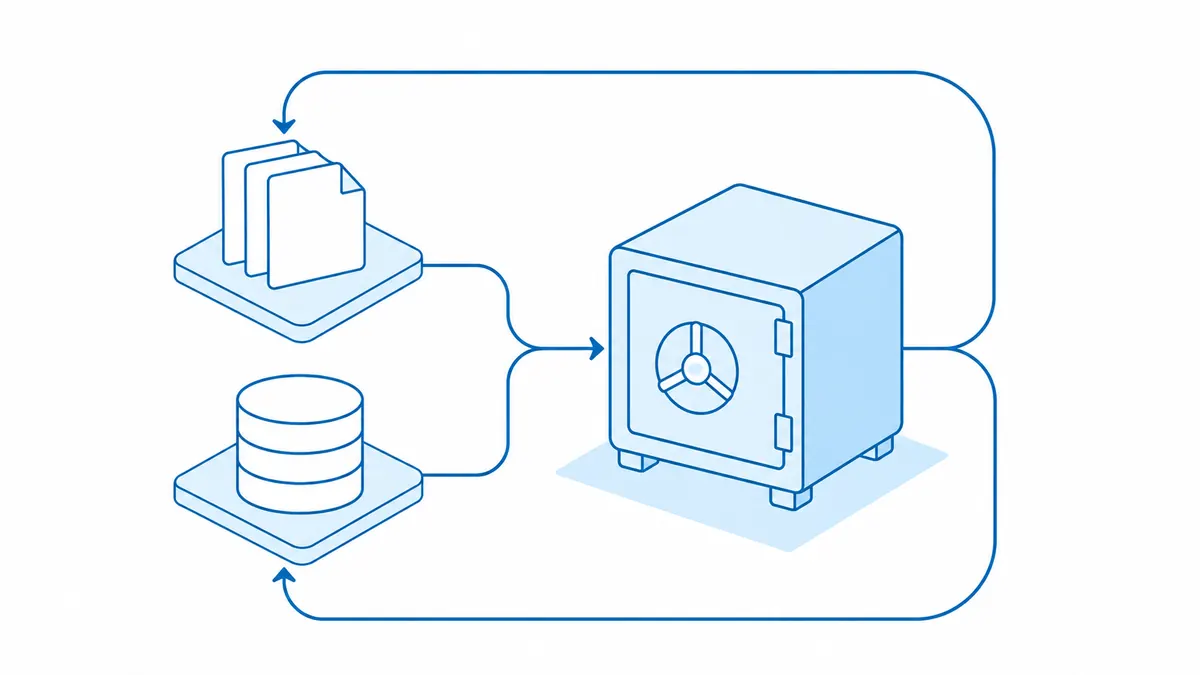
A backup matters when it can restore what you need. Identify which components must be recovered together: website files, uploaded content, database records, and relevant configuration. Dynamic applications may need coordinated copies to avoid inconsistent state.
Decide how much recent work you could reconstruct and how long your business could operate without the website. Use those answers to evaluate backup frequency and recovery arrangements. Do not choose solely from a checkbox marked “backups included.”
Ask providers:
- Which data is included or excluded?
- Where are copies stored, and who can access them?
- How long are recovery points retained?
- Can you download a usable copy?
- Does restoration overwrite existing data?
- Who performs restores, and what charges apply?
Verify current terms on the provider’s policy page or checkout.
- Restore a selected backup into a separate, access-controlled location.
- Check pages, uploaded files, database content, and important workflows.
- Record missing components and the steps needed to make the restored site usable.
- Repeat after significant application or hosting changes.
Restoration can overwrite newer records. Before restoring into production, preserve current data, identify what will be replaced, and obtain explicit approval from the responsible owner.
Keep backup access independent enough that losing one hosting login does not leave recovery impossible.
Compare renewal costs and exit conditions
Compare ongoing obligations, not only introductory checkout totals. Use the same workload and required features for every candidate.
Check current pricing and terms for:
- Initial subscription and renewal.
- Domain registration and renewal.
- Backup storage, retention, and restoration.
- Email service, if needed.
- Certificates and certificate management.
- Migration assistance and administrative support.
- Storage, transfer, or usage-based charges.
- Required application licenses or add-ons.
- Cancellation, refunds, and data export.
Do not assume a listed feature remains included at renewal or under every billing term. Verify current provider pages and checkout details. Save the terms relevant to your purchase.
For usage-based services, ask what creates billable usage, how you can monitor it, and whether spending controls exist. An alert is not necessarily a spending cap.
Check exit conditions before entry. Can you export website files and databases in usable formats? Can you retain your domain and move DNS management? Does cancellation affect access immediately or at another point defined by current policy?
Hypothetical example: One service bundles administrative help; another charges separately. Compare the total arrangement your team needs, including work it must perform itself. A lower subscription alone does not settle that decision.
Verify hosting after purchase
Treat purchase confirmation as permission to test, not evidence that your website is ready. Verify the actual account against your workload inventory.
- Confirm account ownership, recovery contacts, billing details, and administrative access.
- Check runtime, database, and required application capabilities.
- Publish a small representative version of the website using your intended deployment method.
- Test HTTPS and hostname handling before directing normal visitors to the service.
- Verify pages, assets, forms, account flows, and integrations.
- Configure backups and complete a separate restore test.
- Confirm who receives operational warnings and how support escalation works.
For migrations, keep the old service available until the replacement works and you have accounted for recent changes. Follow a structured WordPress migration guide when moving WordPress.
Hypothetical example: A shop moves while orders continue arriving. Copying its database early and changing DNS later can leave newer orders behind. Plan how writes will pause, synchronize, or transfer before cutover.
DNS changes also need deliberate verification. Confirm record names, types, and destination values in the authoritative DNS service; Cloudflare’s record creation documentation shows the relevant configuration fields.
Keep a written rollback decision: what failure triggers it, who approves it, and how you protect new data.
Troubleshoot by finding the failing layer
Start with symptoms and recent changes. Avoid changing DNS, application settings, and server configuration simultaneously. That destroys useful evidence and complicates rollback.
| Symptom | First checks |
|---|---|
| Hostname cannot be resolved | Domain status, authoritative nameservers, intended DNS records |
| Wrong website appears | DNS destination, hostname configuration, deployment target |
| HTTPS warning appears | Hostname match, certificate validity, certificate deployment |
| Page returns an application error | Application logs, recent updates, configuration, database access |
| HTML loads but assets fail | Asset paths, permissions, deployment completeness, mixed schemes |
| Form submits without expected result | Application logs, integration responses, mail configuration |
These checks narrow investigation; they do not prove a cause.
Compare affected and unaffected requests. Does the problem occur on every page, only authenticated pages, or only one hostname? Does it occur from another connection? Record the exact URL, time, error text, and last known working state.
Preserve logs before rotating files or reinstalling software. Remove passwords, tokens, personal data, and other secrets before sharing diagnostic material.
When contacting support, provide reproducible steps and explain which layer you have checked. Ask what their evidence establishes, not merely whether “the server is fine.”
If a recent deployment caused failure, consider a known-good application rollback. If data changed meanwhile, assess compatibility before restoring older code or databases. Recovery should protect records, not merely make the homepage reappear.
Choose around your next real workload
Turn your findings into a short acceptance checklist. Hosting should run your required software, support your operating model, provide a workable recovery path, and have costs you understand. Reject missing essentials before comparing optional extras.
Hypothetical example: publishing website. Your team publishes articles and images without customer accounts. Priorities include straightforward updates, HTTPS, media handling, backups, and clear ownership. More server access brings little value if nobody needs it.
Hypothetical example: WordPress business website. Confirm current WordPress requirements, then verify update duties, plugin compatibility, restore procedures, and migration access. A WordPress label does not answer those operational questions.
Hypothetical example: custom customer portal. Confirm runtime support, database compatibility, background processing, secrets handling, deployment access, and incident responsibilities. A familiar control panel cannot compensate for a missing application capability.
For each candidate, write three statements: what it supports, what your team must operate, and what remains unverified. Resolve unknowns that could block launch or recovery before committing.
Your final purchase check should be concrete: can you deploy, administer, restore, and eventually move this website without depending on assumptions? If any answer remains unclear, request documentation or test the relevant capability first.